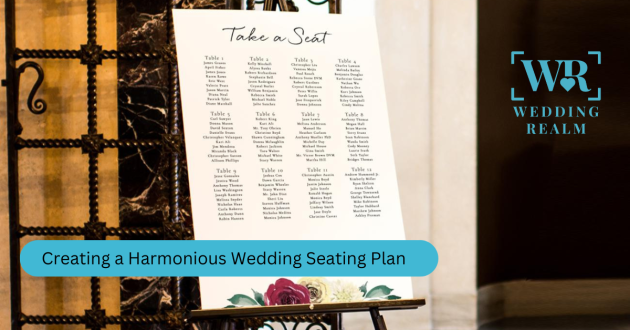
Planning your wedding seating chart might sound like a small detail, but anyone who’s done it knows it can turn into one of the most stressful parts of wedding planning. Between balancing family dynamics, friend groups, and last-minute RSVPs, it’s easy to feel overwhelmed.
But here’s the good news — creating your wedding seating chart doesn’t have to take hours or leave you second-guessing your choices. With the help of Harmony, a smart wedding planning tool that builds your checklist, budget, vendor recommendations, and even helps you organize your seating, you can design a harmonious, stress-free seating chart in under an hour.
Why Your Wedding Seating Chart Matters
Your seating chart isn’t just about where guests sit — it shapes the energy of your entire reception. A well-planned layout ensures:
Guests feel comfortable and engaged.
Families are seated thoughtfully.
Speeches, meals, and dances flow smoothly.
Your venue space is used efficiently.
When guests feel happy and connected, the atmosphere of your celebration naturally becomes more enjoyable and memorable.
The Common Struggle: Why Seating Charts Take So Long
Most couples spend days working on their seating chart. Here’s why:
Endless guest list adjustments: RSVPs change, and late responses throw everything off.
Family politics: You can’t seat certain people together (and everyone has an opinion).
Venue layout confusion: It’s tricky to visualize tables and seating capacity.
Spreadsheet chaos: Trying to do it manually often leads to confusion and errors.
That’s where Harmony simplifies the process — transforming what used to be a long, emotional task into a guided, efficient, and even fun experience.
Meet Harmony: Your Smart Wedding Planning Assistant
Before diving into the step-by-step seating guide, let’s understand what Harmony actually does.
Harmony is a full-circle wedding planning ecosystem that helps couples plan smarter, not harder. In seconds, it can:
Generate your wedding checklist.
Build your personalized budget plan.
Suggest vendors and venues based on your style and location.
Provide negotiated vendor pricing.
Help you design and manage your wedding seating chart effortlessly.
With everything in one place — Harmony eliminates confusion and connects every detail of your big day together seamlessly.
Step-by-Step: How to Create Your Wedding Seating Chart in Under an Hour
Let’s walk through a simple, real-world process to organize your seating chart quickly using Harmony and a few smart planning tips.
Step 1: Import or Create Your Guest List (5 minutes)
Start by uploading your guest list to Harmony. If you don’t have one yet, you can easily create it within the tool. Harmony automatically groups your guests by relationship type (family, friends, coworkers, etc.) and tracks RSVP status in real time.
Step 2: Set Up Your Venue Layout (10 minutes)
Upload your venue’s floor plan or use Harmony’s drag-and-drop layout feature. You can choose from preset templates (round tables, rectangular setups, sweetheart tables, etc.) or customize your own.
Harmony automatically calculates table capacity and recommends arrangements based on your guest count and space — ensuring no area feels too crowded or empty.
Step 3: Group Your Guests by Relationship & Vibe (10 minutes)
This is where Harmony shines. Instead of manually sorting guests, Harmony’s algorithm uses your tags and preferences to suggest seating groups. For instance:
College friends at one table.
Work colleagues together.
Parents near the head table.
Singles and young guests mixed strategically for a lively atmosphere.
If you have sensitive family dynamics (like divorced parents or relatives who shouldn’t sit together), you can set preferences — and Harmony automatically adapts.
Step 4: Adjust for Balance and Flow (10 minutes)
Once Harmony builds the initial layout, it’s time to fine-tune. Check:
Are close family members near the couple?
Are elderly guests far from loudspeakers or dance floors?
Is every table balanced in terms of conversation dynamics?
Harmony visually color-codes guest groups, helping you instantly spot imbalances or errors. You can drag and drop names between tables without losing track
Step 5: Handle Last-Minute Changes (10 minutes)
Guests will cancel, bring surprise plus-ones, or change RSVPs at the last minute. Normally, this causes panic — but Harmony updates your seating chart automatically as changes happen.
With one click, it reassigns open seats or regenerates a new layout suggestion in seconds. You’ll never need to start over from scratch.
Step 6: Share and Print (5 minutes)
Once you’re happy, you can export or share your seating chart directly with your wedding planner, venue coordinator, or decorator through Harmony. It even generates printable versions for your reception setup team — ensuring everyone’s on the same page.
Optional Add-on: Harmony can sync your seating chart with your wedding day timeline so every vendor knows where guests are seated (perfect for photographers, caterers, and coordinators).
Why Harmony Saves You Hours (and Sanity)
Without Harmony, couples often juggle multiple spreadsheets, floor plan PDFs, and dozens of text threads. With Harmony, all those moving pieces connect in one dashboard — with smart recommendations based on your preferences, guest list, and venue type.
Here’s why users love it:
No more manual dragging names on a chart.
Instant venue layout mapping.
Real-time updates for RSVPs.
Personalized seating logic powered by AI.
Vendor and planner coordination was made simple.
It’s not just faster — it’s smarter and stress-free.
Bonus Tips for a Truly Harmonious Seating Experience
Even with tools like Harmony, there are a few golden rules to keep your seating chart peaceful and guest-friendly:
Seat introverts with friendly faces. Don’t isolate shy guests — place them next to outgoing or familiar people.
Keep kids close to parents. It reduces chaos and ensures a smoother dining experience.
Place your VIPs strategically. Parents, siblings, and close friends should be near the head table.
Mix social circles intentionally. Weddings are a celebration — encourage mingling between groups.
Review accessibility. Ensure elderly or disabled guests have easy access to restrooms and exits.
Harmony helps visualize these decisions instantly, showing your full layout before you finalize anything.
Final Thoughts: Simplify Your Seating, Amplify Your Joy
Your wedding seating chart doesn’t need to feel like a puzzle. With a thoughtful approach and smart tools like Harmony, you can build a beautiful, organized setup in under an hour — and spend your saved time enjoying the excitement of your wedding day.
Harmony brings every detail of your planning — from guest list to seating — into one connected, intelligent system. So instead of stressing about who sits where, you can focus on what really matters: celebrating love in perfect harmony.