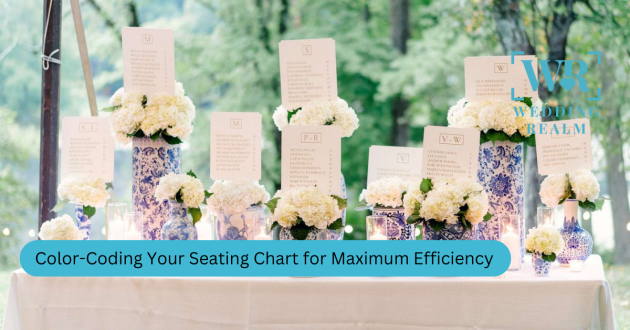
Designing a wedding seating chart involves more than assigning guests to tables. It requires understanding group relationships, balancing personalities, and visualizing how your guests will connect once they’re seated. One of the simplest yet most transformative ways to streamline this process is color-coding — a method that turns a complicated layout into a clear, organized visual map.
Color-coding your seating chart is not just a design choice; it’s an efficiency tool. It helps you identify guest groups instantly, avoid conflicts, balance tables, and maintain an organized overview even as RSVP changes come in. Whether your wedding is intimate or large, the strategy remains powerful and effective.
With Harmony, the full-circle wedding planning ecosystem, visual tools like color-coded guest grouping make planning faster and smarter. Harmony automatically assigns and displays color-coded groups, helping you understand your layout at a glance.
This detailed guide will help you understand how to color-code your seating chart effectively and why this approach dramatically improves accuracy, clarity, and overall planning ease.
Why Color-Coding Works
Color-coding is effective because it translates complex relationships into a simple visual language. Humans process color faster than text; a quick glance at your chart can reveal patterns and issues that would take much longer to find in a list.
A color-coded chart helps you instantly identify:
Which guests belong to the same social or family group
Where potential conflicts may occur
Tables that feel unbalanced or mismatched
Empty seats or seating gaps
Overcrowded or under-filled areas
How evenly energy is distributed across the room
It turns your seating chart into a map — not just a spreadsheet.
Step 1: Define Your Guest Categories
Before assigning colors, identify the categories within your guest list. The goal is to group people based on relationships or social circles so your tables feel effortless and connected.
Common guest categories include:
Bride’s immediate family
Groom’s immediate family
Extended relatives
College friends
Work colleagues
Childhood friends
Close family friends
Guests who don’t know many people
Special guests (e.g., mentors, long-distance family)
Harmony lets you tag each guest with these categories, then automatically displays them in distinct colors on your seating layout.
Defining categories early creates clarity and prevents mismatched groupings later.
Step 2: Assign a Meaningful Color Palette
Color-coding works best when each category has a clearly distinguishable color. The palette doesn’t need to match your wedding colors; it simply needs to be easy to understand visually.
A strong color palette should:
Use high contrast between categories
Avoid colors too similar in shade
Assign warmer colors to groups you want closer to the couple
Use softer tones for groups with flexible placement
Include a neutral color for floating or ungrouped guests
The goal is to make every category instantly recognizable. Harmony handles this automatically, ensuring every group has a distinct visual identity that makes scanning your chart fast and intuitive.
Step 3: Map Your Guests to Tables Using Colors
Once your palette is set, you can start placing guests at tables. This is where color-coding becomes truly valuable.
By viewing your seating chart in color blocks, you can quickly understand whether a table:
Is too heavily dominated by one group
Does not include enough familiar faces for shy guests
Includes guests who may need to be separated
Requires social balance to create better conversation flow
Color patterns make it easier to create a calm, balanced room. For example, if one table is overwhelmingly one color, it may feel too insular. If another looks like a random mix of disconnected colors, it may create awkward dynamics.
Harmony’s drag-and-drop seating map makes this visual balancing process effortless.
Step 4: Use Color to Manage Family Dynamics
Family dynamics are one of the biggest challenges in seating planning. Color-coding helps you navigate sensitive situations such as:
Divorced parents
Estranged relatives
Family members who shouldn’t sit together
Guests who prefer not to interact
Families that need to be placed close but not adjacent
By marking these individuals or groups in specific colors, you’ll instantly see whether they’re seated too close or overlapping with conflicting groups.
Harmony also allows you to set “avoid placing together” rules, which ensures certain pairings never occur — color-coded or not.
Step 5: Identify Seating Gaps and Overlaps
One of the biggest advantages of color-coding is how quickly it exposes spacing issues. Empty seats and overcrowded tables become obvious when seen visually rather than in list form.
Color-coding helps you pinpoint:
Tables that need one or two more guests
Tables that feel uneven
Groups that have been split too aggressively
Unassigned guests
Inconsistent table sizes
These visual cues make it easier to refine your chart and achieve a balanced layout across the entire venue.
Step 6: Plan for Last-Minute RSVP Changes
Color-coding becomes especially valuable when guests cancel late, add plus-ones, or confirm unexpectedly. Adjusting your chart is faster when you can instantly see which color group a new guest belongs to.
With a color-coded system, you can:
Place added guests with the correct social group
Identify tables that can comfortably absorb a new guest
Keep social circles intact even after adjustments
Avoid breaking balanced tables when making changes
If you’re using Harmony, the system updates your map instantly and keeps color integrity intact while reorganizing tables.
Step 7: Share a Clear Visual Chart With Your Planner or Venue
A color-coded seating chart is not only helpful for you — it helps your planner, venue team, caterers, and decorators understand the layout quickly.
This clarity ensures:
Tables are set with the right number of chairs
Staff knows where families and special groups are seated
The flow of service is easier to manage
VIP tables receive appropriate attention
Any last-minute changes can be applied with accuracy
Harmony lets you export your seating chart with colors included, ensuring every team involved has a crystal-clear visual reference.
Final Thoughts
Color-coding your seating chart is one of the simplest ways to bring order, clarity, and confidence to the planning process. It streamlines decision-making, helps avoid awkward pairings, ensures social balance, and allows you to respond quickly when last-minute changes happen.
With visual tools like those inside Harmony, you can create a beautifully organized seating chart that feels intentional, easy to understand, and fully aligned with the emotional flow of your celebration.
A clear chart leads to a smoother reception — and a happier experience for everyone in the room.